Environments Concepts
All resources are deployed to an Environment. Environments define the deployment location as well as the set of Recipe Packs to use to deploy resources to that Environment. The first component of an Environment definition is the deployment location, specified by provider property:
- Kubernetes: The namespace
- AWS: The account, region, and EKS cluster name
- Azure: The subscription, resource group, and AKS cluster name
For AWS and Azure, the named EKS or AKS cluster is the target cluster where application workloads are deployed. The Kubernetes cluster where the Radius control plane runs is independent of where application containers are deployed, so a single Radius installation can deploy applications to many different clusters.
When a resource is deployed, these location details are provided to the Terraform configuration or Bicep template via the context object.
The second component is the set of Recipe Packs, which define the recipe for each Resource Type. By assigning Recipe Packs at the Environment level, it is possible for each Environment to have a unique set of recipes. Take a PostgreSQL database Resource Type as an example. There may be:
- A development environment running on a local workstation that deploys the database to a local Kind or k3d cluster
- A test environment which deploys to a shared Kubernetes cluster but also assigns more CPU and memory to the database
- A staging environment that deploys the database to AWS using RDS
- A production environment that also uses AWS RDS but configures the database with high availability and backups
Finally, an Environment definition can set Environment-level recipe parameters. These parameters override the parameter values defined in the Recipe Pack and are useful for injecting additional environmental information into the recipe. Take, for example, a recipe which deploys a PostgreSQL database using AWS RDS or Azure Database for PostgreSQL. Ideally, the database is created with an endpoint in an existing VPC/virtual network. The virtual network ID can be passed to the recipe via a recipe parameter defined within the Environment.
Example of using Environments
Environments can be modeled in many ways according to your preferences. When combined with Resource Groups, Environments can be organized in many different ways. They may be logical environments such as dev, test, stage, prod. Or they may be locations such as AWS us-east-1. They may be specific to an application or a team, or shared across the organization.
Below are three example using of multiple Environments. There is no right or wrong, it depends on your organizational structure and preference. The first example is a small Radius deployment for one team:
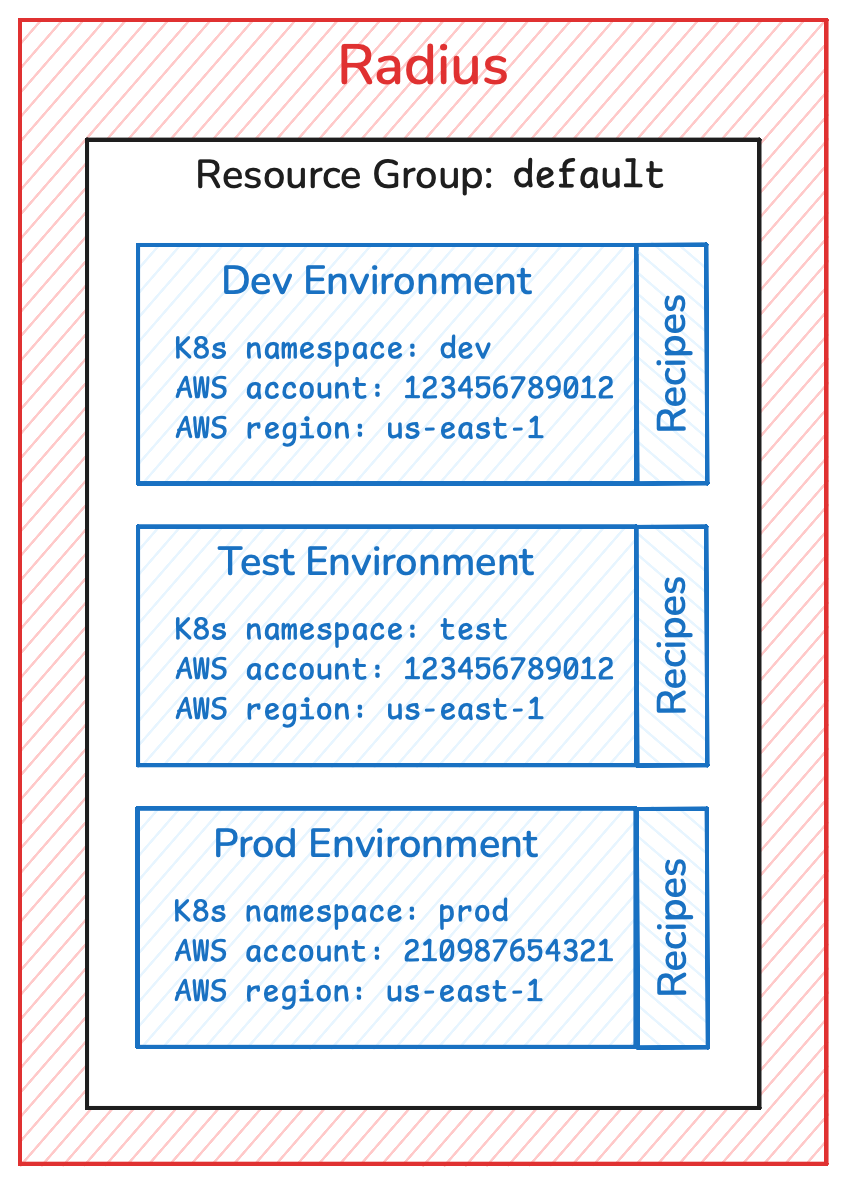
This approach is simple and easy to get started. However, as the number of applications or teams grows, developers may start to encounter naming collisions and having excessive rights to modify other team’s resources. Another approach is an application-centric approach where each application has its own resource group and set of environments.
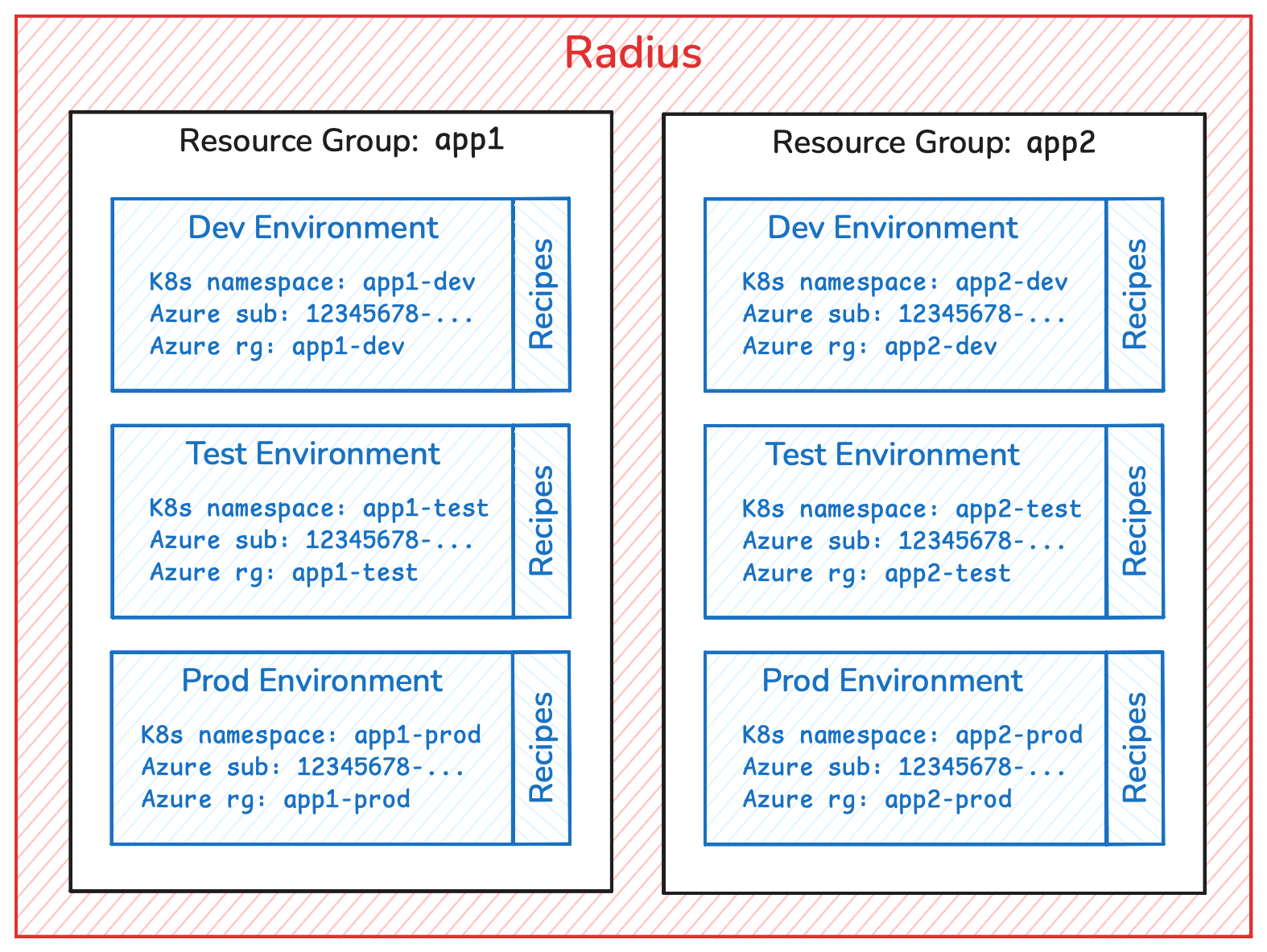
This layout has the advantage of having the ability to customize Recipe Packs per application. However as the number of applications increases, so do the number of Environments which just make for a more complex platform. The final, most advanced layout, represents a large enterprise with multiple business units.
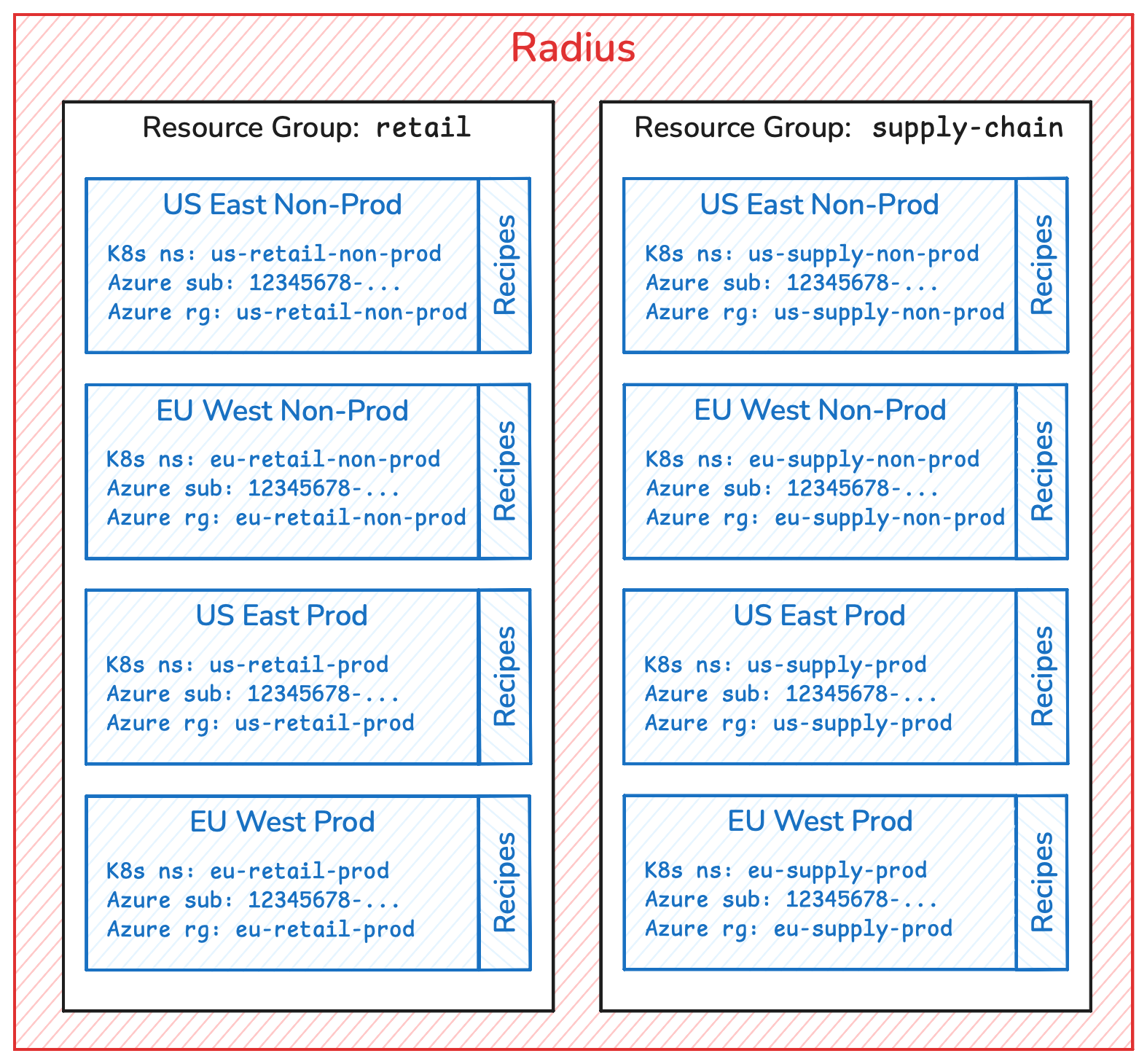
Here, Environments are organized by business units, cloud regions, and production versus non-production environments.
Next step: Read about Applications
Feedback
Was this page helpful?
Glad to hear it! Please feel free to star our repo and join our Discord server to stay up to date with the project.
Sorry to hear that. If you would like to also contribute a suggestion visit and tell us how we can improve.